Can You Use Temp Mail for Verification Codes? (What Actually Works)
Can You Use Temp Mail for Verification Codes? (What Actually Works)
Yes — you can receive email verification codes, OTPs and confirmation links on a temp mail instantly, but a temp mail cannot receive SMS (phone) codes. If a site verifies by email, a disposable inbox works perfectly; if it verifies by text message, you'll need a real phone number.
What works on a temp mail
- Email confirmation links — click to activate an account.
- Email OTP / one-time codes — copy the code from the message.
- Password-reset and magic-link emails.
- Receipts, downloads and attachments.
What does NOT work
SMS text codes. A temp mail only handles email, so any phone/SMS verification needs a real number. Services like Snapchat, Tinder and OpenAI require both an email (works with temp mail) and a phone (doesn't).
How to receive a verification code
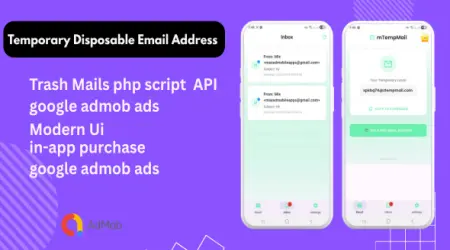
- Open MTempMail and copy your address.
- Enter it on the sign-up form and request the code.
- Watch the inbox — the verification email arrives in seconds.
- Copy the code or click the link.
Developers can automate this end to end with the free temp mail API.
Frequently asked questions
Can temp mail receive verification codes?
Yes — email verification codes, OTPs and confirmation links arrive in the disposable inbox in seconds. It cannot receive SMS codes.
Why didn't my code arrive?
Delivery can take a moment; refresh the inbox. If the site sends codes by SMS instead of email, a temp mail can't receive them.
Can I use temp mail for OTP?
Yes for email OTP. For SMS OTP you need a real phone number.
Can developers automate code retrieval?
Yes — use the free temp mail API to create an inbox and read the code programmatically.