Temp Mail for Twilio: Sign Up and Verify Without Exposing Your Inbox
Temp Mail for Twilio: Sign Up and Verify Without Exposing Your Inbox
Yes — you can use a temp mail for Twilio to complete the email verification step and keep your real inbox clean. A free disposable address from MTempMail receives Twilio's account-confirmation email, welcome messages, and trial notifications instantly, with no sign-up of your own. One thing it does not replace: Twilio still requires a real phone number for SMS verification, because that is how it prevents fraud on its messaging network.
What a temp mail covers during Twilio sign-up
When you create a Twilio account, two separate checks happen. A temporary email handles the first; only a real phone can handle the second:
- Email confirmation — Twilio sends a "verify your email" link. A disposable inbox receives it in seconds, so you can click through without handing over your primary address.
- Phone (SMS/voice) verification — Twilio sends a one-time code to a phone you own. This step needs a genuine number; a temp email cannot substitute for it.
In other words, temp mail solves the inbox problem, not the phone problem. That is the honest, useful distinction most guides skip.
How to use temp mail for Twilio in 4 steps
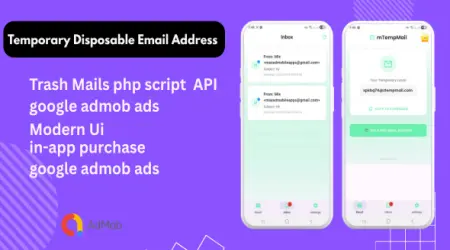
- Open MTempMail and copy the temporary email address shown at the top of the page.
- Start your Twilio sign-up and paste that address into the email field.
- Return to the MTempMail inbox — Twilio's verification email arrives within seconds. Open it and click the confirmation link.
- Complete Twilio's phone verification with your real number to finish activating the trial.
Why route Twilio email through a disposable inbox?
Developers and marketers open a lot of trial accounts. Pointing each one at a throwaway address means product emails, upgrade nudges, and newsletters never reach your working inbox. If you evaluate several communication APIs at once, a burner mail address per vendor keeps everything sorted and disposable. For fully private, no-history sessions, an anonymous temp mail inbox works the same way.
Temp mail vs. real email for Twilio
| Task | Temp mail | Real email |
|---|---|---|
| Receive email verification link | Yes | Yes |
| Keep primary inbox spam-free | Yes | No |
| Long-term billing & security alerts | No (expires) | Yes |
| Password resets weeks later | No | Yes |
Rule of thumb: use temp mail for evaluation and testing; switch a production Twilio account to a mailbox you control long-term, because you will need it for billing and password resets.
Building automated tests instead? See our guide to testing Twilio Verify email OTP with disposable inboxes, or read what actually works with a Twilio free trial and temp mail.
Frequently asked questions
Can I use a temp mail for Twilio verification?
Yes for the email verification step — a disposable inbox receives Twilio's confirmation link instantly. Twilio's separate phone verification still requires a real number you own.
Does temp mail bypass Twilio phone verification?
No. Nothing legitimate bypasses SMS/voice verification on Twilio. A temporary email only replaces your email address, not your phone number.
Is using a disposable email for Twilio allowed?
Using a temporary email to receive verification and trial messages is a normal privacy practice. For a long-term production account, use a permanent mailbox so you keep access to billing and security alerts.
Will the Twilio email arrive in the temp inbox?
Yes — Twilio's verification email typically lands in an MTempMail inbox within a few seconds. Refresh the inbox if it has not appeared yet.